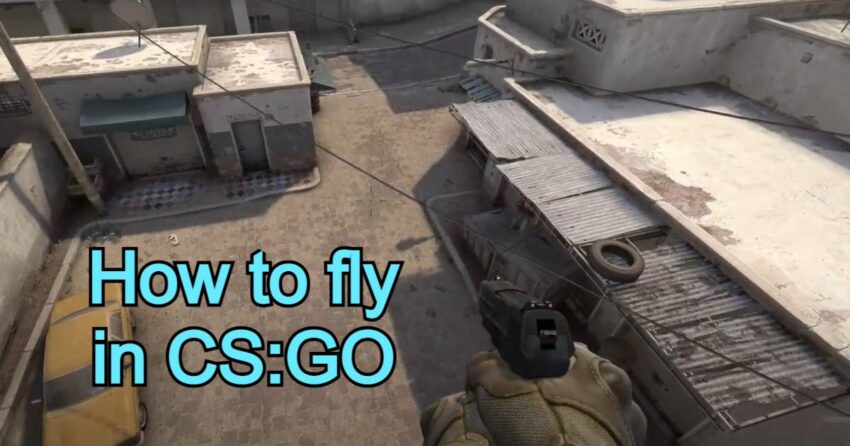
Counter-Strike: Global Offensive (CS:GO) is a popular first-person shooter game that offers a wide array of features, some of which are hidden by the developers. One such feature is the free flight mode, which allows players to freely navigate through maps, explore newly released battlefields, study grenade trajectories to improve their skills, and discover various bugs that can be later exploited in the game.
However, not everyone knows how to fly through walls in CS:GO, as this capability is intentionally concealed by the game developers. Nonetheless, it is possible to enable this function by utilizing console commands.
Console commands for fly mode in CS:GO
Before you can start flying in CS:GO, you need to activate the console in the game. To do this, go to the settings menu in CS:GO, navigate to the “Game” tab, and find the option labeled “Enable Developer Console.” Set the slider to “yes” to enable it. By default, the developer console is accessed by the tilde key (~), but you can assign a different key if desired. Now, you’re ready to activate the free flight mode by following these steps:
- Open the console;
- Enable cheat mode with the command sv_cheats 1;
- Activate free flight mode with the command noclip.
Once you execute these commands, you’ll be able to freely move around the map in flight mode. However, it’s important to note that this mode is only available in cheat-enabled gameplay and cannot be used in online matches. The ability to fly around the map is limited to offline mode (local server) and bot battles.
After activating the flight mode, you gain the ability to:
- Swiftly fly to any location on the map, bypassing walls and obstacles.
- Soar above the map, obtaining a bird’s-eye view of the surroundings.
- Gain invincibility against enemy weapons.
The noclip command gets deactivated after each completed round, so you’ll need to repeat the procedure if you haven’t accomplished everything you intended.
Adding a bind for flight mode in CS:GO
The simplest way to activate the flight mode is by binding a command to a designated key, enabling you to toggle free flight mode with a single press. To do this, specify the command bind ‘X’ noclip in the launch options, where ‘X’ represents the key you choose to activate the flight mode.
The benefits of flying in CS:GO
The primary purpose of the free flight mode is to facilitate more effective training sessions and enhance players’ tactical skills. With this feature, players can track the trajectory of their thrown grenades and discover optimal shooting positions on the map, providing an advantage during official matches.
Where can you use flight mode in CS:GO?
Flying in CS:GO is not possible on official Valve servers. In simpler terms, free flight mode is not accessible in competitive matchmaking, deathmatch, or other official game modes. In official matchmaking, such functionality is unavailable even when cheats are enabled.
However, you can freely fly in CS:GO on private servers and when playing with bots. While multiplayer mode in CS:GO doesn’t support flying, you can engage in this activity within your private lobbies or during bot matches, as long as you have access to the console.
By mastering the art of free flight mode in CS:GO, you can elevate your gameplay to new heights. It allows you to uncover hidden aspects of the game, train more effectively, and gain a strategic advantage over opponents. Remember to utilize this feature responsibly and enjoy the unique opportunities it presents.